Queues that never end
Slow screens and confusing menus add seconds to every bill. At peak hours, that means lost customers and stressed staff.
Restaurant & retail POS · Windows, macOS, Linux
KoKoPos
Stop losing sales to slow billing. Scan, bill, send KOTs, print receipts, and track inventory—fast, GST-ready, and still working when the internet drops.
5-day free trial · No credit card · Instant license after purchase
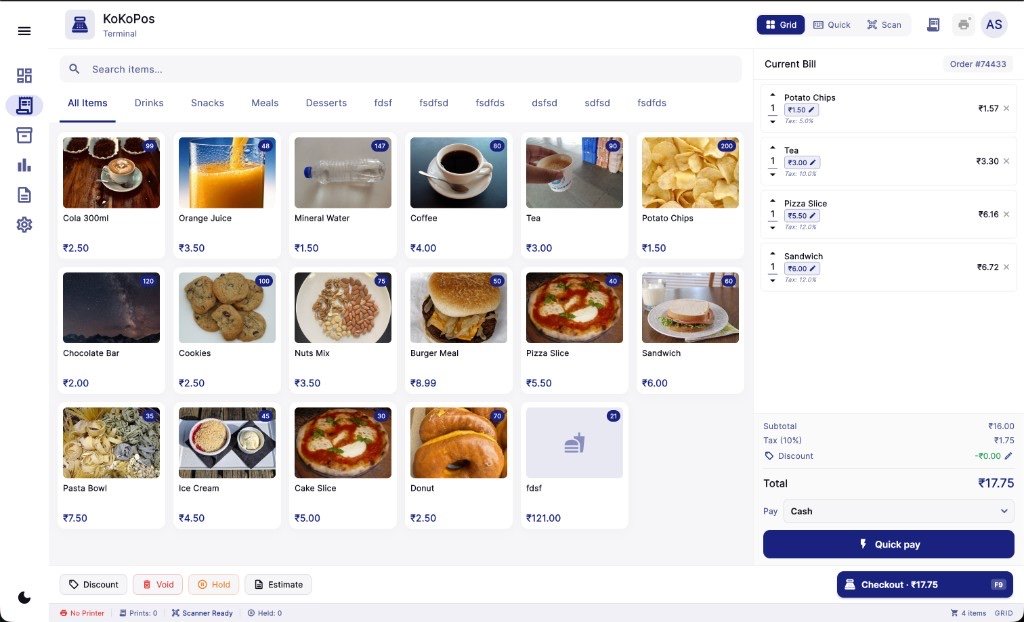
Real KoKoPos terminal — Grid, Quick, and Scan billing
Most shops do not need another complicated POS. They need fewer mistakes, shorter queues, and numbers they can trust at closing time.
Slow screens and confusing menus add seconds to every bill. At peak hours, that means lost customers and stressed staff.
Excel sheets and memory-based stock fail the moment rush hour starts. You sell what you do not have—or miss what you should sell.
Generic POS tools treat printing as an afterthought. One failed receipt stops the line and damages trust instantly.
Without clear reports, you guess what sold, what margin you made, and what to reorder—until month-end surprises hurt cash flow.
Every slow bill is a chance for a customer to walk out. KoKoPos is built so your counter keeps moving—even when the shop is packed.
Built for speed, reliability, and easy daily operations at your billing counter.
Bill customers quickly with clean item search, instant totals, and reliable receipt printing. Reduce queue time and improve customer satisfaction during peak hours.
Keep stock accurate, avoid stock-outs, and track product movement from purchase to sale. KoKoPos helps store owners make smarter buying decisions.
View sales trends, popular products, and daily business reports. Understand what is selling best and optimize margins with better pricing and restocking.
One POS for restaurants, cafés, bakeries, retail stores, supermarkets, and specialty shops.
Fine dine, QSR, and café counters get table-wise orders, KOT printing, a kitchen display, and waiter phone ordering.
Explore restaurant POS →Bill cakes, puffs, and sweets by piece or by weight, with fast counter checkout and daily sales reports.
Handle high-volume billing, product catalog management, and receipt printing with a smooth checkout workflow.
Manage thousands of SKUs, barcode workflows, and inventory updates while keeping queue time low.
Support fast invoicing, item-level pricing logic, and daily sales reporting for repeat B2B orders.
Scan and bill medicines fast, track stock, and print clear GST invoices for every customer.
Handle sizes, variants, and high-value items with barcode labels, accurate stock, and clean invoices.
Bill sparklers, gift boxes, and fireworks fast with barcodes, bulk CSV import, and peak-season ready counters.
Explore crackers POS →GST invoices, UPI-friendly checkout, and city guides for Chennai, Mumbai, Delhi NCR, Bangalore, and more.
Explore India POS & cities →Everything needed to run fast, accurate, and professional point-of-sale operations.
Scan, bill, and print receipts in seconds with a clean billing workflow for busy counters.
Track stock movement, monitor low inventory, and avoid missed sales due to stock-outs.
Works with Bluetooth and USB thermal printers for smooth and reliable receipt printing.
Check daily sales, product performance, and payment summaries to improve profit decisions.
Switch on Restaurant / Café mode for dine-in, takeaway, and kitchen workflows.
Open a bill per table, add rounds as guests order, and see every running table at a glance.
Send Kitchen Order Tickets to a kitchen printer with one tap—items and quantities, no prices.
Show live orders on any kitchen tablet or TV browser and move them from New to Preparing to Ready.
Pair waiter phones with a QR code. Table orders go straight to the register and the kitchen.
No onboarding calls or installation visits. Set up KoKoPos yourself in four steps.
Install KoKoPos on Windows, macOS, or Linux and choose from 17 business types—restaurant, bakery, retail, pharmacy, and more.
Import products from Excel or CSV, or start from the sample catalog for your business type.
Add Bluetooth or USB thermal printers and a barcode scanner. No special hardware needed.
Run your first GST-ready bill the same day. Your team learns the screen in minutes.
If you are searching for restaurant billing software, café POS, retail billing software, a supermarket billing system, or GST billing software that works offline, KoKoPos offers a complete all-in-one solution. From fast billing and KOT to thermal printer integration, barcode labels, inventory management, loyalty points, and sales reports, KoKoPos helps owners cut errors, shorten queues, and serve customers faster.
KoKoPos works in English, Hindi, Tamil, and Bahasa Indonesia, and is used by shops across India—see our POS billing software by city guides.
Start with a 5-day free trial and explore why merchants choose KoKoPos as their everyday point-of-sale software.
Grid, Quick, and Scan billing modes—plus live cart and checkout on the KoKoPos terminal.

Browse products by category with images, stock badges, and one-tap add to cart.
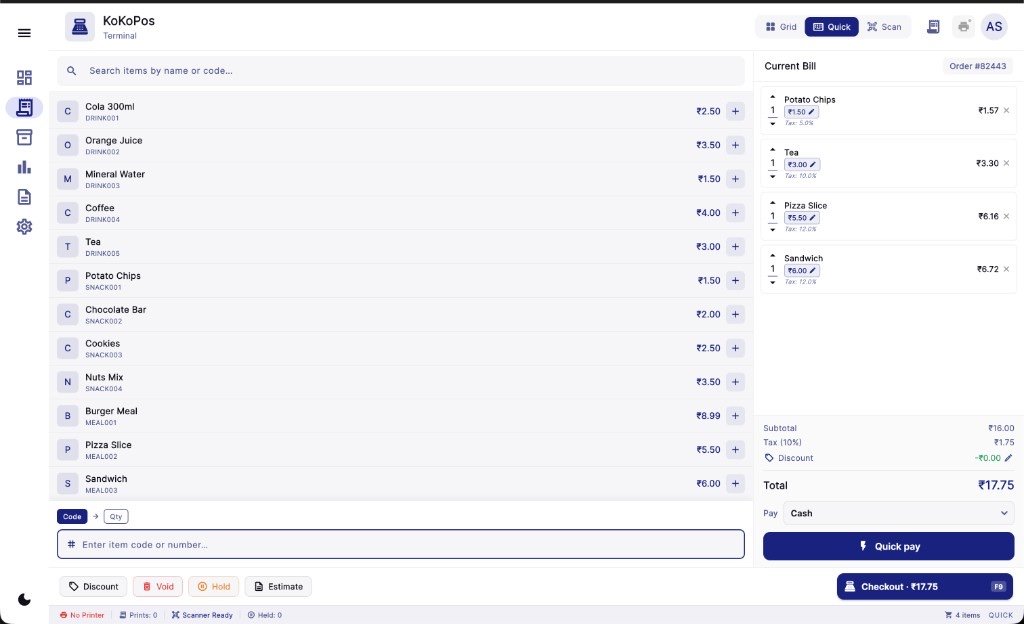
Search and add items fast with a compact list—ideal for high-volume counters.

Scan barcodes or type SKU codes with line-level qty, price, and totals.
Review line items, tax, discounts, and pay with Quick pay or full checkout.
Watch a quick product walkthrough to understand billing, inventory, and reports.
Lifetime ownership or flexible annual plans — your choice.
Everything you need to know before buying your KoKoPos license.
KoKoPos is POS billing software for restaurants, cafés, bakeries, retail shops, and supermarkets. It handles billing, KOT, tables, GST invoices, inventory, customers, and reports in one app for Windows, macOS, and Linux.
Yes. KoKoPos runs on your counter computer, so billing, KOT, and printing keep working when the internet drops. Cloud sync and backup on Pro and Business catch up when you are back online.
Yes. In Restaurant / Café mode you can bill table-wise, send KOTs to a kitchen printer, show orders on a kitchen display in any browser, and let waiters take orders from their phones.
Plans start at ₹2,999 a year (Pro) or ₹8,999 one-time (Lifetime Solo), before 18% GST. Every plan starts with a 5-day free trial and no credit card.
Yes. KoKoPos is designed for grocery shops, retail stores, supermarkets, and mobile billing counters that need fast billing and reliable thermal printer support.
Yes. Choose the Crackers business type on first launch, import your SKUs with barcodes, and bill gift boxes and fireworks fast during festival rush. See our crackers POS page for details.
Yes. KoKoPos supports GST-ready invoicing, UPI payment recording, barcode billing, and thermal printers for retail shops nationwide. See our India POS page and city guides for Chennai, Mumbai, Delhi NCR, Bangalore, Hyderabad, and Coimbatore.
Yes. Use any USB barcode scanner in Scan mode, and print receipts on Bluetooth or USB thermal printers (58mm or 80mm). Bill PDFs can also be shared on WhatsApp.
Yes. KoKoPos prints GST-ready invoices with item tax rates and exports GSTR-1 and GSTR-3B summaries in an Excel format that matches the GST offline tool.
Yes. Print barcode labels for single items or in bulk from Inventory (Lifetime plan and above).
Yes. Import your full product list or menu from Excel (.xlsx) or CSV, with prices, categories, barcodes, tax rates, and stock.
Yes. Lifetime supports up to 3 devices, while Pro and Business add cloud sync across devices and team logins. Owners can also check today’s sales, running tables, and low stock from the online owner dashboard.
License delivery is instant. As soon as payment is completed, your license is generated and available in your account.
Detailed guides with practical steps, best practices, and decision frameworks for modern merchants.

A complete long-form framework to compare checkout speed, inventory depth, hardware support, team workflows, and long-term ROI before selecting POS software.
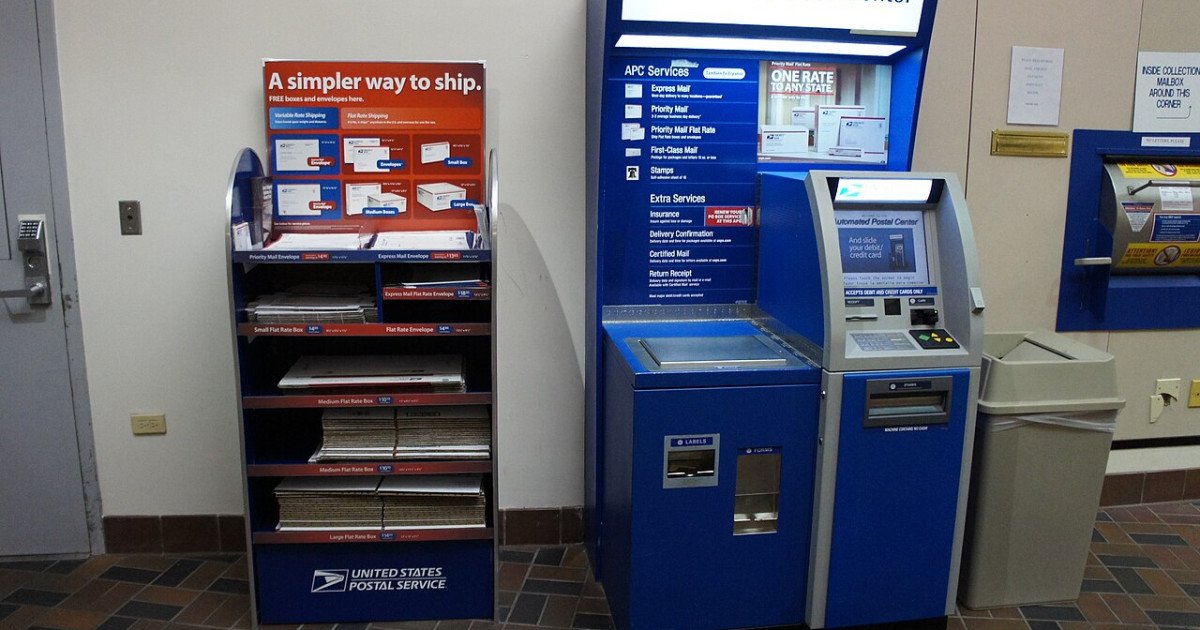
Thermal printer integration is not a minor convenience feature. It influences queue speed, staff confidence, customer trust, and checkout reliability every single day.
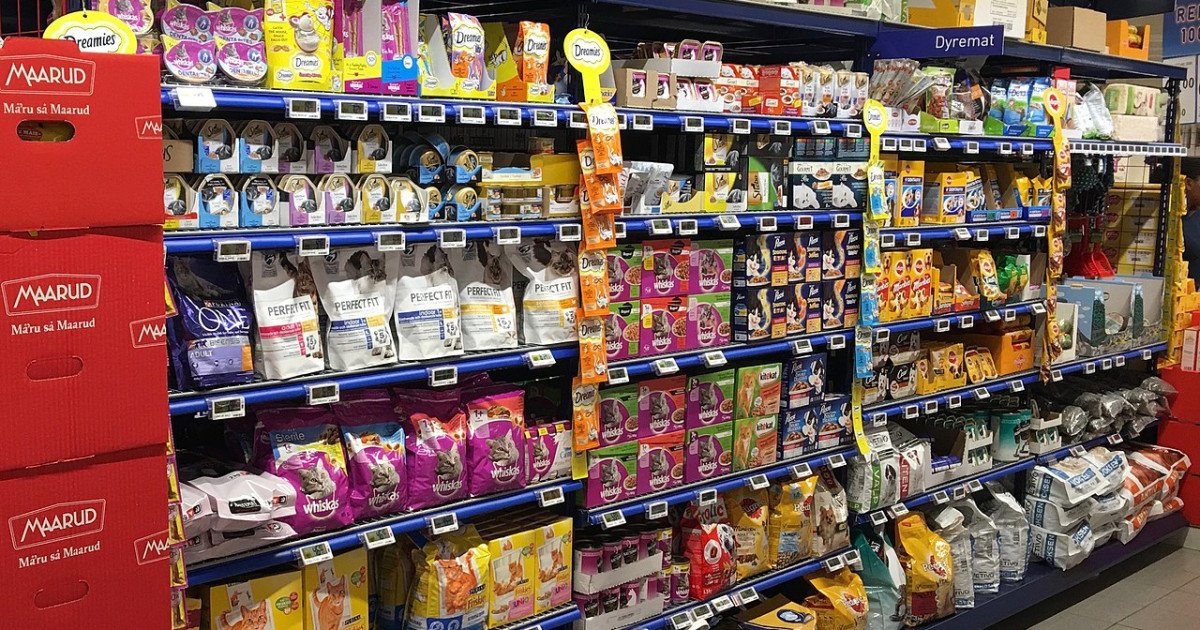
Inventory management is one of the largest profit levers in retail. This detailed guide explains how better stock visibility and process discipline can improve margin, cash flow, and growth decisions.
A practical guide for cracker and fireworks retailers preparing for Diwali—barcode billing, bulk SKU import, wholesale rates, and peak-hour POS workflows.
A practical SEO checklist for Indian retailers and POS vendors—keyword intent, local pages, technical hygiene, and content that ranks and converts.
How kirana, textile, and specialty shops in India can improve Google Maps visibility and Generative Engine Optimization (GEO) with accurate listings, city pages, and citation-ready FAQs.